Introduction
Lumio is an open-source, self-hosted financial data platform for importing, processing, and analyzing bank statements. It combines a NestJS API, a Next.js web app, and a structured parsing pipeline so teams can turn messy exports into reliable, queryable financial data.
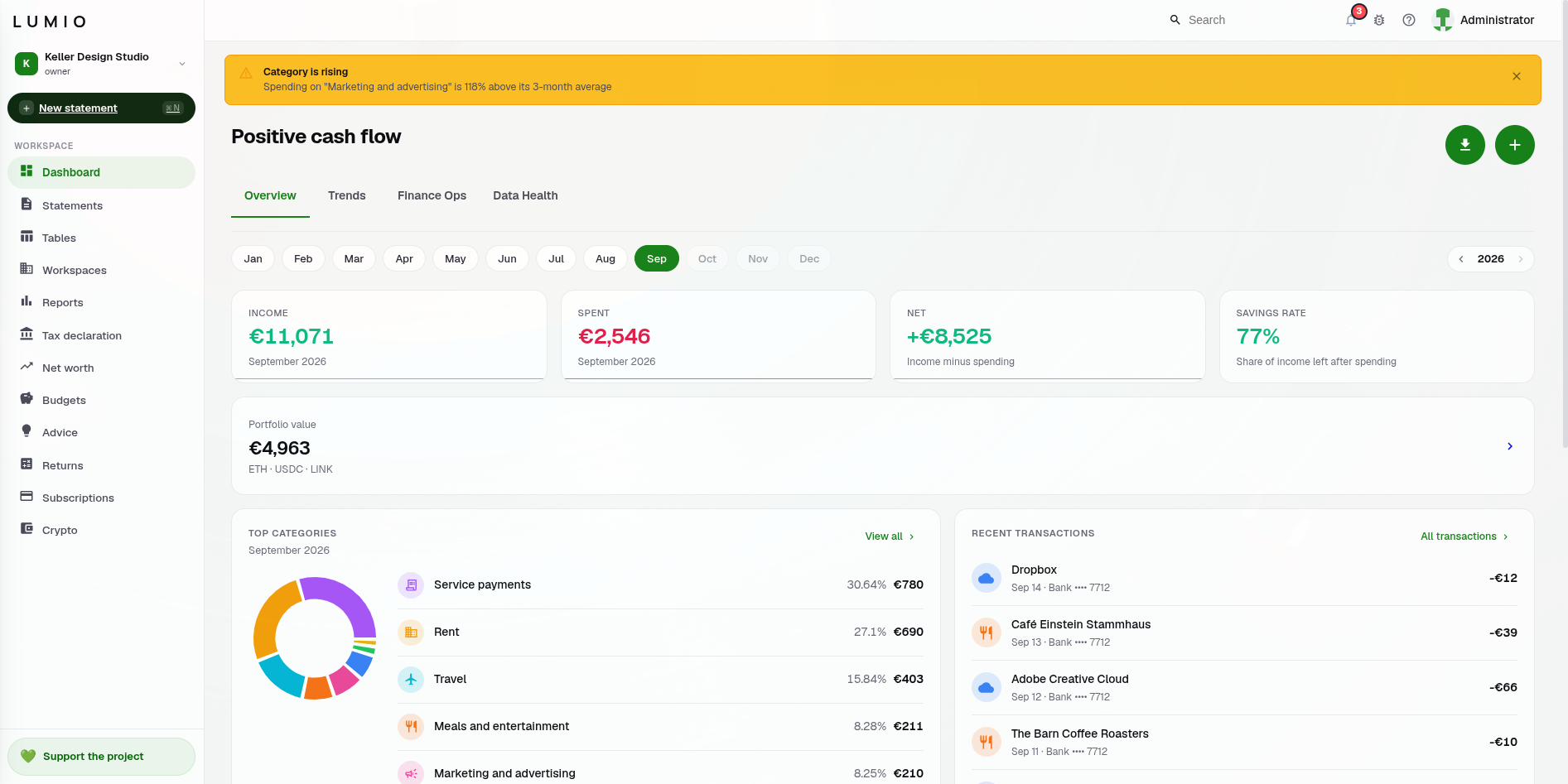
What you can do with Lumio
- Import statements from PDF, CSV, XLSX, DOCX, and image files, with OCR for scans and native parsers for Kaspi, Bereke, and Bank Hapoalim / Isracard.
- Normalize, deduplicate, and classify transactions with rules and AI-assisted categorization.
- Collect receipts by upload or from an IMAP inbox and see where each was bought on a self-hosted map (Receipt Maps).
- Manage multi-tenant workspaces with RBAC and full audit history.
- Build dashboards, reports, budgets, and goals; draft VAT returns and year-end income tax declarations (Income Tax Declaration).
Who Lumio is for
- Developers evaluating a production-ready financial data pipeline
- Contributors building new parsers and integrations
- Teams self-hosting a reliable statement import stack
Quick facts
- Backend: NestJS 11 with TypeORM and PostgreSQL
- Frontend: Next.js 16 with React 19, UI in 21 languages
- Data services: PostgreSQL 14 + Redis 7 (Docker Compose)
- Integrations: OpenAI-compatible AI endpoint, SMTP, IMAP, S3-compatible and WebDAV storage, Telegram, webhooks, and API keys
- Optional: self-hosted map tiles (tileserver-gl) and geocoding (Nominatim)
- Observability: Prometheus-format metrics at
/api/v1/metricsand structured JSON logs - Also in the repository: an MCP server (
mcp-server/)
Where to start
- Follow the Quick Start guide for a Docker-based setup.
- Log in with the demo account to explore the UI.
- Review the parsing pipeline to understand how statements are processed.
Next: Quick Start